
Integration
Wialon Integration: Fleet Fuel Intelligence from Your Wialon Data
Connect the Wialon account you already run and turn its telemetry into fuel savings you can price, without new hardware or a spreadsheet habit.
The problem
Wialon already records the fuel, kilometres and engine hours of every unit your tracking provider has installed. What it does not tell you is which of those litres you did not need to burn. Getting to that answer normally means building custom reports, exporting them, and reconciling them in a spreadsheet every month.
How it works
- 1
Sign in on Wialon's own page
Choose your Wialon server, sign in on Wialon's login page, and approve read-only access. Your Wialon password is never typed into CleanFreight, and the access can only view data.
- 2
CleanFreight builds your baseline
We read up to 12 months of fuel, distance, idle and engine hours per unit per day, then establish what normal looks like for each vehicle class in your fleet.
- 3
See what is recoverable
Every vehicle is measured against its own baseline. The gap between expected and actual fuel becomes a dollar figure per vehicle, ranked so you know where to start.
What data we use
Fuel consumed
Distance travelled
Idle time
Engine hours
What you need to get started
- A Wialon login that can see the units you want measured
- Units with fuel and mileage set up in Wialon (a fuel sensor, a fuel counter, or a consumption rate)
- Your provider's Wialon address, if you do not sign in at hosting.wialon.com, .us or .eu
- No hardware changes, and nothing to install
CleanFreight with Wialon
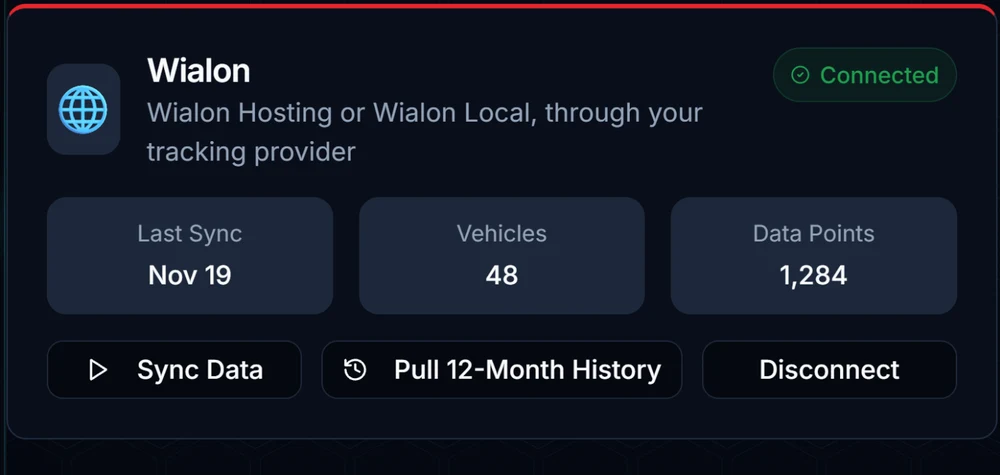
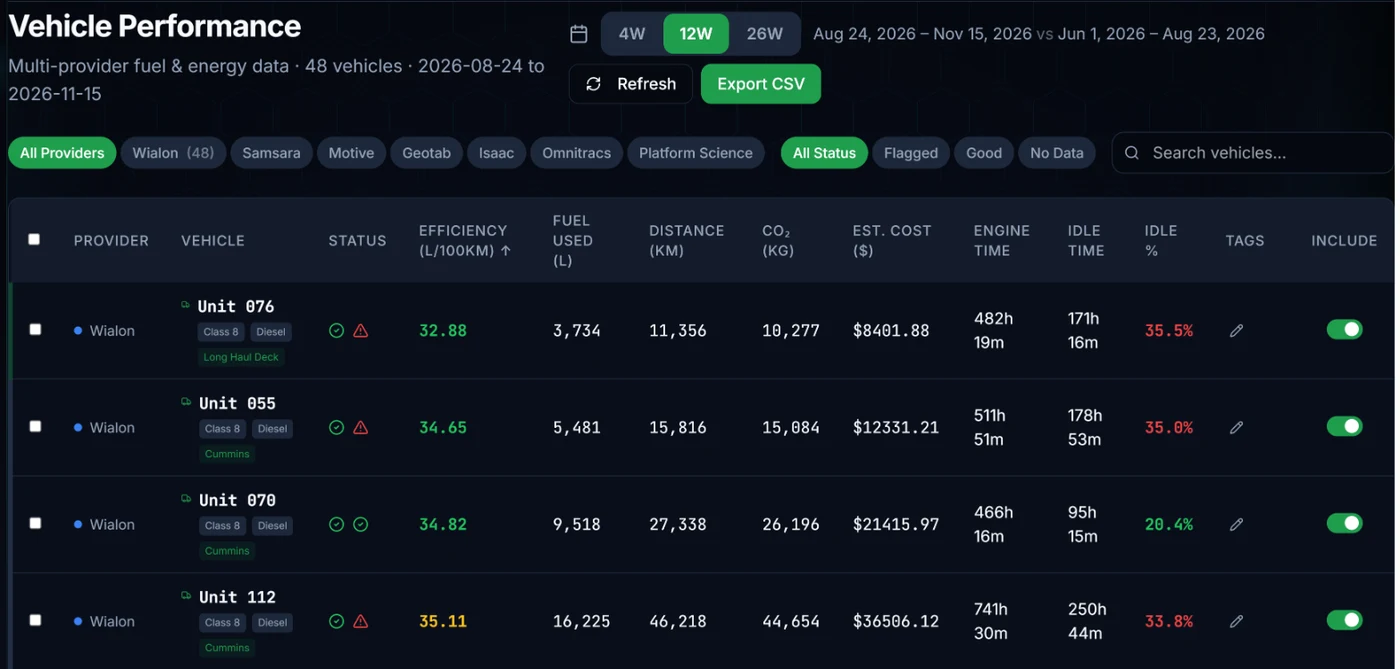
Example screens from a demo fleet.
Wialon integration FAQ
Does it work with my tracking provider's Wialon, or Wialon Local?
Yes. CleanFreight connects to Wialon Hosting in North America, Europe and internationally, and to a provider's own Wialon address or a Wialon Local server. You pick the server when you connect.
Do I need to share my Wialon password?
No. You sign in on Wialon's own page and Wialon gives CleanFreight a read-only access token. You can revoke it from Wialon at any time.
Which Wialon data does CleanFreight read?
Fuel consumed, distance travelled, engine-on time while stopped (idle), and engine hours, per unit per day. We do not read driver messages, video, or anything not needed to measure fuel.
How long does setup take?
The sign-in takes about a minute. The first sync starts right away, and how quickly your baseline appears depends on how many units and how much history your account holds.
I am a Wialon partner. Can I offer CleanFreight to my clients?
Yes. Contact us about partner terms. Your clients connect their own Wialon accounts, read only, and nothing changes in how you run Wialon for them.
Is the connection read-only?
Yes. CleanFreight only reads telemetry. We never send commands to a vehicle, edit a record in your telematics account, or change anything about how your fleet operates.
Can I disconnect at any time?
Yes. Disconnecting takes one click in your CleanFreight connections page, and it stops all future syncing immediately. You can also revoke access from your provider's own account settings.
What happens to my data if I disconnect?
Your history stays in CleanFreight so your reports remain readable, unless you turn on the option to purge it on disconnect. That setting is yours to choose.
Running more than one provider? See all CleanFreight integrations, or read how fleet fuel intelligence works end to end.
Ready to see what your Wialon data is hiding?
Estimate your recoverable fuel spend in about a minute, then connect your account to see the real number.